

Automated Test Framework (ATF) is a powerful feature in ServiceNow that allows developers and administrators to automate the testing of their applications. One important feature of ATF is the ability to execute server-side scripts. This functionality is highly useful for testing backend processes like workflows, business rules, script include and data manipulation logic without needing to simulate them manually.
Why Run Server-Side Scripts in ATF?
Running server-side scripts is useful for:
- Simulating backend workflows: Mimic real-life processes to see if they produce the expected results.
- Testing business rules, scripts, and ACLs (Access Control Rules): Validate the behaviour of server-side logic without interacting directly with the UI.
- Database operations: Manipulate or query records during tests.
Example – Script include function for Unit Test
/*
@desc - changeState function helps to change the state of incident to in-progress
@parm - sys_id - incident sysid.
*/
    changeState: function(sys_id) {
        var gr = new GlideRecord('incident');
        gr.get('sys_id', sys_id);
        if (gr.isValidRecord()) {
            gr.state = 2; // Set state to 'In Progress'
            gr.update();
        }

    },
Step-by-Step Guid: Running Server-Side Script in ATF
Step 1: Set Up the ATF Test
- Navigate to ATF Module: Go to the filter navigator and type “Automated Test Framework” or “ATF”. Click on Test under the ATF section.

2. Create a New Test:
Click on New to create a new test case.
Give your test a name, for example, “Test Server-Side Script Execution”.
Set the appropriate description, and other necessary attributes.

Step 2: Add Test Steps for Running Server-Side Script
To run a server-side script in your ATF test case, you’ll need to add the appropriate test step.

Select Record Insert

Select “Run Server-Side Script” Test Step:

Select Record Validation

Step 3: Execute the Test
Save the Test Case: After adding the server-side script test step, save the test case.
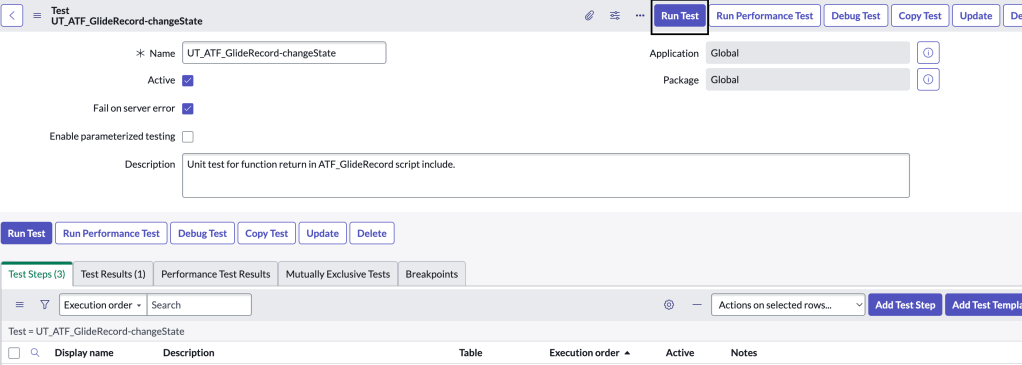
Run the Test:
Click Run Test to execute the test case.
The ATF framework will execute the server-side script during the test. You can track its progress in the test results section.
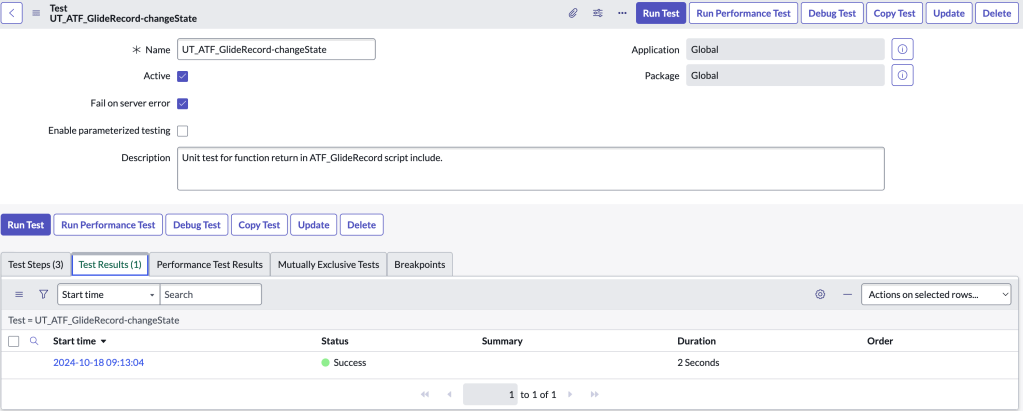
Step 4: Review Results:
Once the test is complete, review the results to see if the script executed as expected.
ATF logs will show any errors or outputs from the script, making it easy to debug issues.
Conclusion
Running server-side scripts in ServiceNow’s Automated Test Framework is a robust method for validating your backend logic and data operations. By using ATF, developers can save time on manual testing, ensuring their business rules, workflows, and scripts work as intended. Following the steps outlined in this guide will help you create efficient, reusable test cases that leverage server-side execution.
Implement ATF in your development cycle to improve test coverage and maintain ServiceNow instance integrity, especially during updates or new releases. Happy testing!

 SnowTechStack
Leave a comment