
The ServiceNow® Automated Testing Framework enables you to create and execute automated tests to verify that your custom scenarios function correctly, whether after development, during application creation, or during the update process in deployment boundary settings. Analyze the test failure results to identify which changes are responsible for the failures and which ones require further investigation. The technical assessment process has been enhanced and updated in the Washington DC version.
Features in Washington DC :
1. Performance profiling
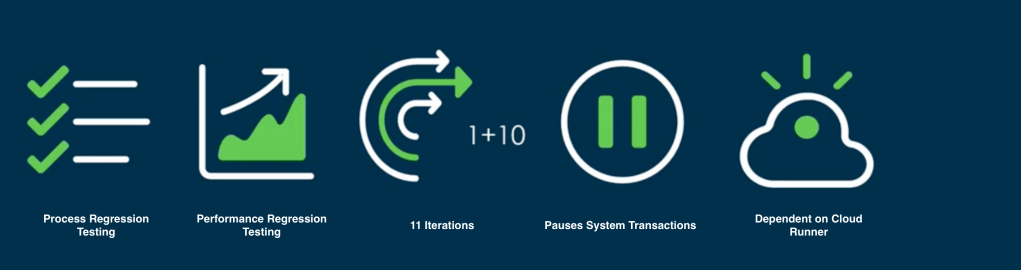
- Performance profiling is mostly used at the time of instance upgrade.This feature detects the performance degradation once the instance is upgraded.
- This is nothing but performing performance testing on our instance.
- Once we run performance profiling, it checks if there are any performance impact on the instance after upgrade and then user and analyse and fix the issue.
- ATF or suits are been run 10 times sequentially to check if any issues occurring.The first run us usually a warm up run and it always runs on cloud runner.It does not run in parallel.
- For more details please check service now documentation Performance profiling.
2. Configurable Workspace Support
ATF now supports testing the Next Experience UI (limited to forms and UI actions) to reduce regression risks by providing wider test coverage.
Currently we can test only limited functionality through this features.
3. Declarative Action Visibility
Step Verifies that the declarative action is visible on the form or not.
The visibility of declarative action depends on the user impersonated.
Declarative UI action
Declarative action are similar to UI action just the difference is they are used on workspace UI
4. Click a Declarative Action
This is nothing but to click the Declarative UI action.
Above are the features in Washington release of ATF(Above Article is written by referring ServiceNow Documentation)
You can refer ServiceNow Documentation for detailed idea

 SnowTechStack
Leave a comment